 Tersby
What's kept there
“Media library” holds all of the company's files: photos, videos and PDFs. The same file can go on any site, no need to upload it again.
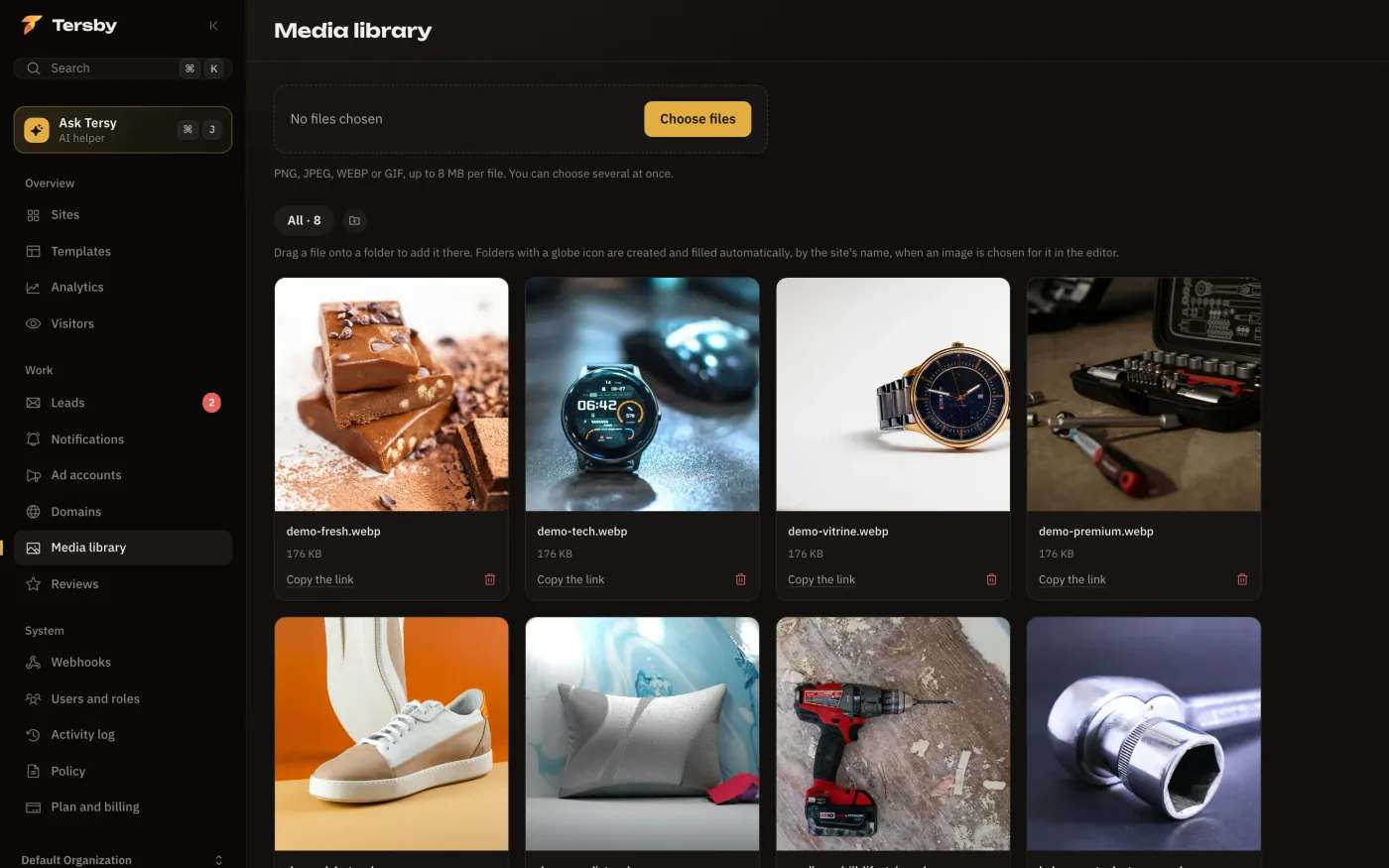
Formats and sizes
| What | Formats | Up to |
|---|---|---|
| Photos | PNG, JPEG, WEBP, GIF | 8 MB per file |
| Videos | MP4, MOV, WebM | 1 GB |
| 50 MB |
The total space depends on your plan. Videos and PDFs are uploaded in the file picker in the editor, which also shows the upload progress.
Compress heavy photos to 1-2 MB: the page opens faster, and with ads every second of loading costs leads.
Folders
Drag a file onto a folder to add it there. A new folder is created with the button next to the folder list. Folders with a globe icon appear by themselves: they collect the pictures chosen for a particular site.
Picking a file in the editor
In the editor, press a picture's thumbnail: the media library opens with a search by file name. Pick a file, upload a new one (several at once by dropping them into the window) or paste a link to a picture on another site. You can also just drag a file from your computer onto the thumbnail.