 Tersby
How the editor is laid out
Fields on the left, a live preview on the right: it shows every edit straight away, on a phone or a computer. Above the tabs is the site's card: address, template and language; «Change» opens them.
At the bottom: the readiness bar (how much of what matters is filled in), the save state and “Publish the changes”.
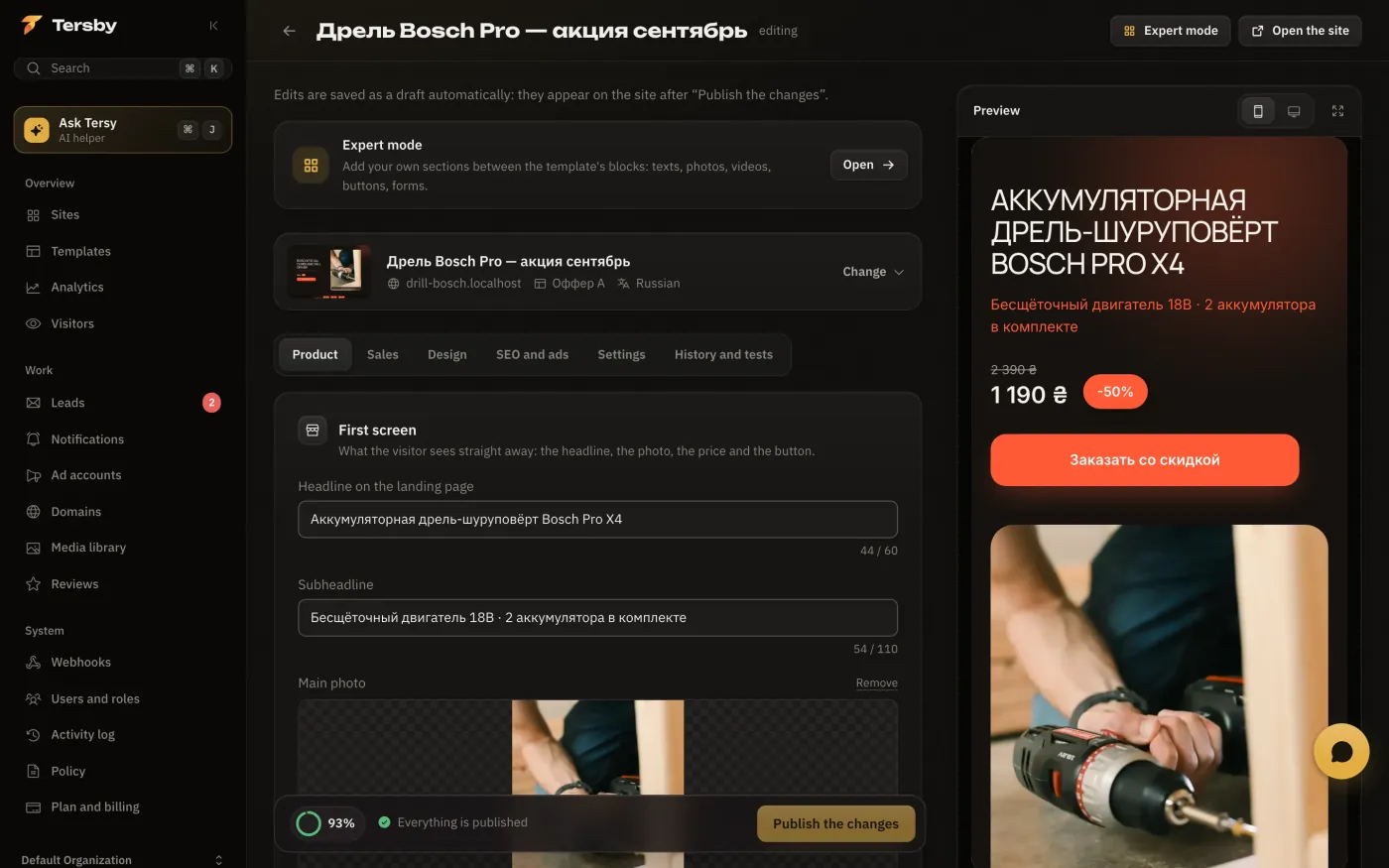
“Product”
- First screen: headline, subheadline, main photo, price, old price and discount, button text.
- About the product: description, photos, specs (one per line, «name: value»), advantages, «how to order» steps, gallery.
- Trust: badges (warranty, delivery, cash on delivery) and customer reviews.
“Sales”
- Urgency: an offer timer (each visitor's own, until midnight or until a date) and a «N left» counter.
- Order form: field labels, extra fields, phone countries, a message or a redirect after sending. See «Lead forms».
- «Still thinking it over?» reminder: a small window for people who look at the page for a long time without leaving a lead.
- Sending leads to a CRM and this site's webhooks are here too.
“Design”
- Colours and fonts: ready palettes or your own background, accent and text colours, a font pair.
- Page blocks: the order of the template's blocks and which of them to show. This hides a block without deleting its content.
“SEO and ads”
- SEO and sharing: the title and description for search, the picture for link previews in messengers, hiding the site from search.
- Ads and analytics: the ad account, this site's own pixels and tokens, Google Ads, Campaign ID for spend.
- Site events, Cookie banner, Domain verification tags, Link for ads (UTM), Redirects, Site files.
“Settings”
- Footer and policy: the footer text and which privacy policy the link opens.
- Geo-block: countries that see a placeholder instead of the site.
- Backup domain: where to switch the site if the main domain gets blocked.
“History and tests”
Published versions of the site (any can be restored) and A/B tests. See «Draft, publishing and history» and «A/B test».