 Tersby
Sign up
Create an account at app.tersby.app: you need an email and a password. An email arrives so you can confirm the address.
Signing up is free: you can open the dashboard and look at the templates. To create sites and take leads you need a plan. It's chosen in the “Plan and billing” section.
Choose a template
In “Templates”, open the template closest to your product. Each has a preview with sample data, on a phone and on a computer. You can switch templates later: the copy and photos stay.
Want to build a page from scratch: choose “Blank site”, and it opens in expert mode. More in “Expert mode”. Or ask Tersy in the dashboard to build a site from a description: it asks a few questions and prepares a draft. More in “Tersy”.
Fill in the site
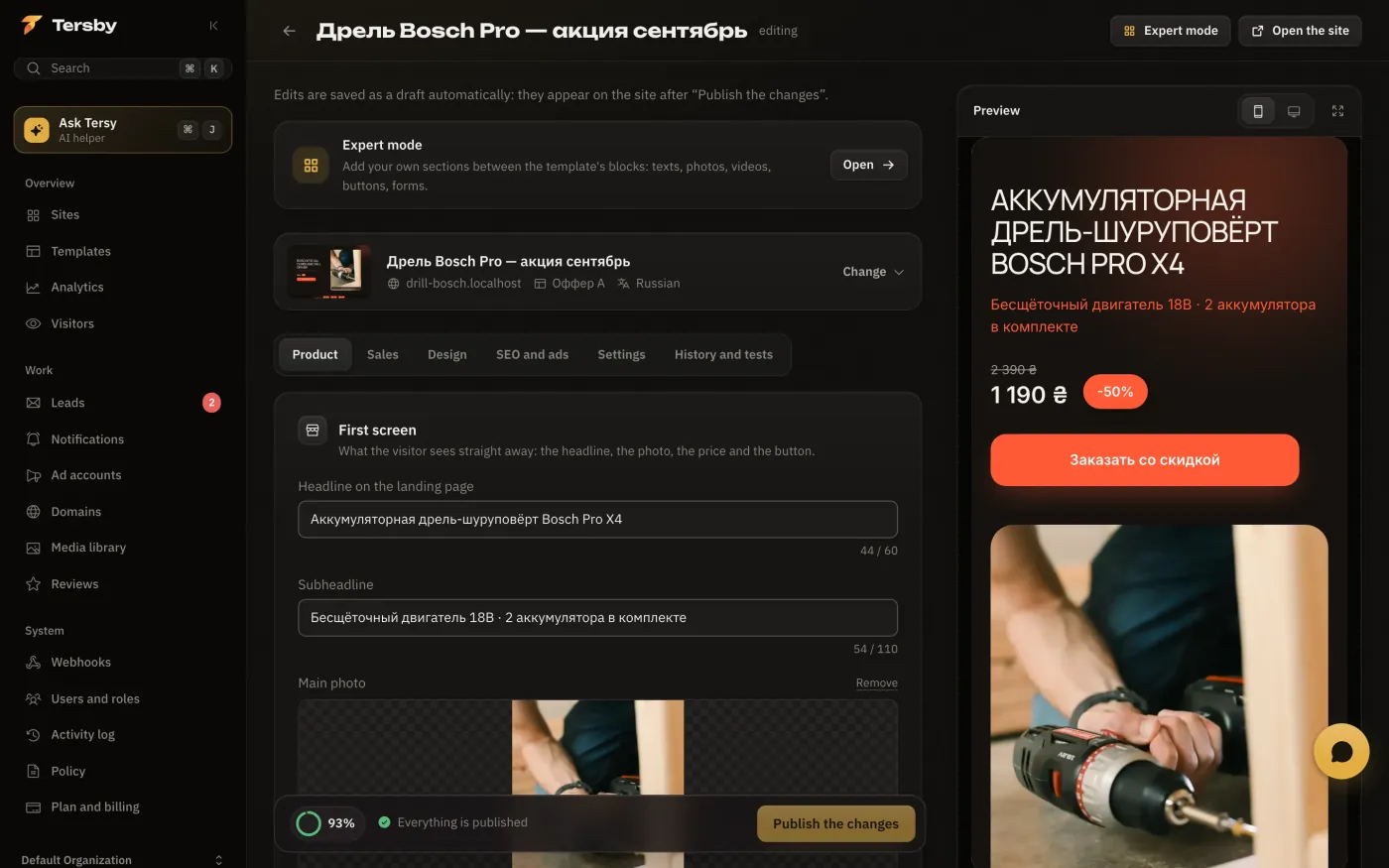
Above the editor's tabs you set the site's name, address and language. The tabs themselves:
- “Product”: the first screen, the product description, badges and reviews.
- “Sales”: the timer and stock counter, the order form, a reminder for people who didn't finish the order.
- “Design”: colors, fonts and the order of page blocks.
- “SEO and ads”: the title and description for search, the ad account and pixels, the link with UTM tags.
- “Settings”: the footer and policy, country blocking, the backup domain, the CRM.
The “Expert mode” button opens the visual editor: there you can add your own sections between the template's blocks, plus pages and popups.
The preview stays on the right the whole time. Clicking a block in the preview opens its settings. The draft saves itself, so you can close the tab and come back later.
Publish
To be published a site needs an address: a subdomain and a verified domain. Connecting a domain is covered in How to connect your own domain.
The readiness meter in the editor shows what's still missing: a price, the main photo, the button text, an address or an ad account. When everything is ready, publish the site. Every publish is kept in the history, and you can go back to any version.
Before you launch ads
- Open the site on a phone and send a test lead.
- Make sure it appeared in “Leads” and arrived in Telegram.
- Check that it reached the CRM, if one is connected.
- Build a link with UTM tags on the “SEO and ads” tab and paste it into the ad.