 Tersby
The lead list
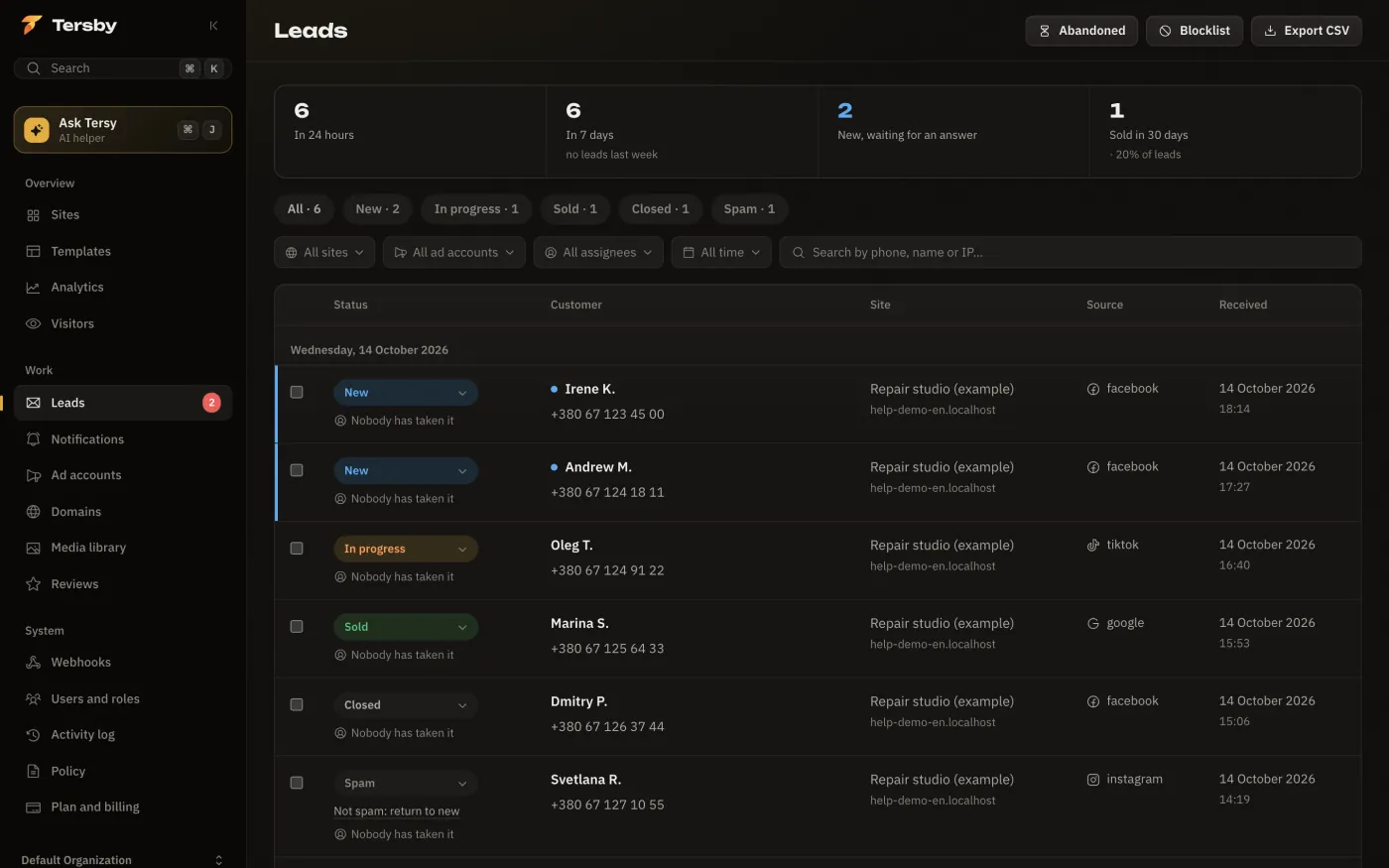
“Leads” starts with numbers: leads in 24 hours and in 7 days, new ones waiting for an answer, and sales in 30 days. Below are the statuses with counts (all, new, in progress, sold, closed, spam) and filters:
- site, ad account, assignee;
- period: today, 7 days, 30 days or all time;
- search by phone, name or IP.
New leads are marked with a dot and highlighted. Leads are grouped by day.
The lead card
Press a lead and its card opens:
- status and assignee («Take it», «Assign»);
- buttons to call, message on Telegram or Viber;
- the source: site, page, UTM tags, device, country;
- every form field, including product variants, Nova Poshta, a file and the total;
- a comment (call notes), another phone, the sale amount;
- «Show all leads with this phone number» if the person left leads before.
If the lead went to a CRM, its CRM status is shown there too.
Acting on several leads
Tick leads (Shift selects everything up to the previous tick) and change the status, assign someone or mark them as spam all at once.
CSV export
«Export CSV» at the top downloads the leads with the current filters applied: for instance, only last month's sold leads from one site. The file opens in Excel and Google Sheets.
Abandoned forms
«Abandoned» shows people who typed a phone but didn't send the form. They're worth a call: often they're almost buyers. If you don't need someone, remove them from the list; if you reached them, turn them into a lead in one press.
Saving abandoned forms is switched on there too. The site's privacy policy says such data is kept.
Spam and the blocklist
Suspicious leads go to «Spam» by themselves, with a reason. A number or an IP can be added to “Blocklist”, then its new leads go straight to spam. See «Spam and the blocklist».